Pro
Save 50%$20$10/month
Billed once a year · $240 $120/yr
~200 HD videos every month
- 1080P HD downloads, no watermark
- Faster video creation queue
- Both Text & Photo to Video
 Make AI Videos in 3 Easy Steps · MAGI-2
Pick a template or type one sentence, then tap the big red button. Free to try, no card needed.
Tap any video below and we will fill everything in for you.
Try free first. Upgrade anytime to download clean HD videos with no watermark.
Billed once a year · $240 $120/yr
Billed once a year · $480 $240/yr
Billed once a year · $960 $480/yr
Jump directly to dedicated tools, verified 480B model facts, Seedance comparisons, and prompt playbooks.
Create 4–30s 1080p 25fps clips with synchronized native audio.
AI Image to VideoImage to Video StudioAnimate stills with first-frame & multi-reference consistency.
Model FactsWhat Is MAGI-2?Verified 480B specs, official Sand.ai channels, pricing & open-source FAQ.
CompareMAGI-2 vs SeedanceSide-by-side comparison of duration, native sound & creator workflows.
Switch engines inside one workspace, from instant free previews to 4K cinema pipelines.
Timeline direction, first-frame anchoring, and multi-style rendering in one workflow.
MAGI-2 Turbo streams responsive previews while Cinema Pro scales up to 4K widescreen exports. Skip render queues with Fast Mode whenever deadlines are tight.
Built around the MAGI-2 workflow: fast prompt iteration, stable motion, and local reference previews.
Launch straight into the workbench with no login or credit card required. Compose prompts, test ratios, and preview results immediately, and upgrade only when you scale.
Powered by the 480B-parameter MAGI-2 architecture for coherent physics, natural lighting, and crisp subject continuity across every second.
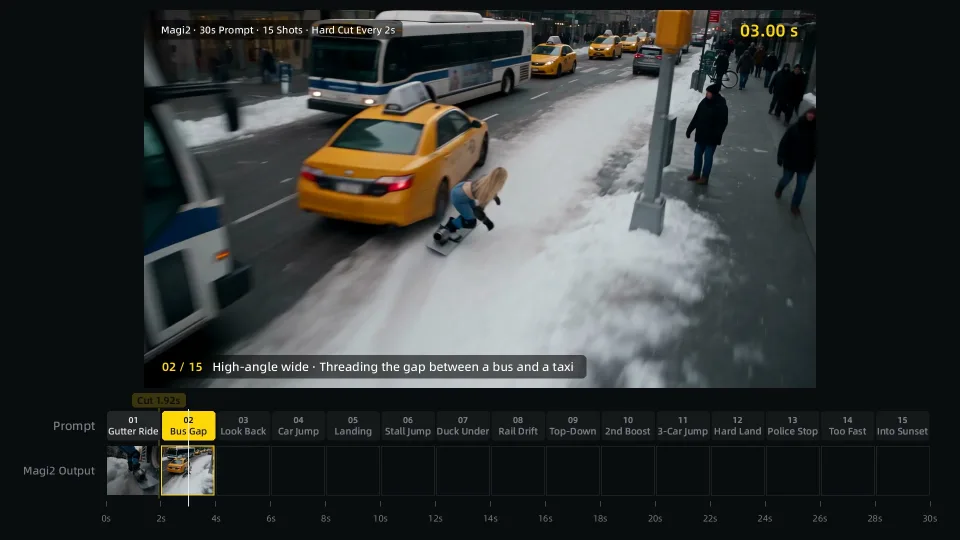
Describe camera orbits, dolly moves, lens focal lengths, and timing beats in plain language. Magi2 translates direction accurately into motion.
An optimized inference pipeline delivers previews in seconds on MAGI-2 Turbo, while Pro and Ultimate tiers unlock priority queues and batch runs.
Reference frames preview locally in your browser until you run a task. Paid tiers include full private mode so your brand campaigns stay confidential.
Switch effortlessly across photorealistic cinema, cel anime, 3D animation, analog 16mm film, and studio e-commerce commercials in one click.
See how filmmakers, marketers, and studios use Magi2 to turn scripts and stills into ready-to-publish video.
“Magi2 cut our concept pitch turnaround from three days to twenty minutes. Dropping a single storyboard frame into Image-to-Video gave the client an instant feel for the camera move.”
“The prompt bar right at the top with zero login friction is brilliant. I test ten lighting ideas in a row before locking my final 1080p render.”
“Our e-commerce product pages saw a 28% lift in engagement after replacing static hero banners with 4-second orbital clips generated on Magi2.”
“Temporal stability is what sets Magi2 apart. Characters keep their exact outfit and facial structure even during sweeping dolly shots.”
“Switching between 16:9 YouTube B-roll and 9:16 vertical hooks in the exact same workbench saves me hours every single week.”
“As a game concept artist, animating my environment paintings in seconds helps the whole team feel the atmosphere before we build 3D assets.”
“Magi2 makes paid social ad creative production effortless. We spin up five visual angles for A/B testing before lunch.”
“Clean UI, transparent credits, no clutter. Easily the fastest web studio for turning moodboards into motion reels.”
“The multi-model selector means I use Turbo for quick drafts and switch to 480B Cinema when I need client-ready output.”
Have another question? Contact us at support@magi2.info
Magi2 (magi2.info) is an AI video generation studio powered by multi-model routing including MAGI-2 480B and MAGI-2 Turbo. Enter a text prompt or upload a reference image to direct cinematic clips directly in your browser.
Yes! You can compose prompts, adjust aspect ratios, test styles, and preview generations directly from the homepage workbench with no account or credit card required.
Text-to-Video generates an entire moving scene from your written script and camera cues. Image-to-Video uses your uploaded photo or artwork as the first frame to preserve exact subject identity and composition.
Magi2 supports widescreen 16:9, vertical 9:16 (TikTok/Reels/Shorts), square 1:1, classic 4:3, and cinema 21:9, with export resolutions ranging from 480P fast drafts up to 1080P HD and 4K.
MAGI-2 Turbo produces quick previews in seconds. Paid Pro, Ultimate, and Max tiers include priority queues and Fast Mode so longer 1080P and 4K clips render without waiting.
Yes. Ultimate and Max plans include watermark-free exports and full commercial usage rights for YouTube channels, paid social ads, e-commerce listings, and client work.
Reference images stay locally in your browser during setup. Paid plans include Full Private Mode so your prompts, assets, and generated videos are never shown publicly.
When enabled, AI Enhance enriches short prompts with cinematic lighting, camera motion, and lens phrasing so even a one-sentence idea produces polished visual direction.
Monthly subscription credits refresh every billing cycle, while one-time Credit Packs remain valid for 6 full months, and active subscribers receive +50% bonus credits on every pack.
Yes. Use the model selector inside the workbench to draft fast with MAGI-2 Turbo and re-render your winning prompt with MAGI-2 480B or Cinema Pro in one click.
Practical playbooks on video prompting, camera movement, and first-frame direction.

Start with a text prompt or a reference image. Explore the light, composition, and movement of your next shot.